
Best EHR for Small Practices in 2026
The best EHR for a small practice is the one that is easy to learn, includes charting, scheduling, and billing in one place, and has a clear price with no surprise add-ons. For solo and independent practices that want simple charting and low total cost, Amazing Charts is a strong first choice. Practice Fusion suits cloud-only clinics with basic needs. AdvancedMD and CureMD fit growing multi-provider groups that need deeper billing tools. Tebra works for practices that also want patient marketing built in.
In a small practice, the front desk, the billing follow-up, and the exam room usually involve the same two or three people. There is no IT department to absorb a clunky system, so every extra click gets paid for later, often after the last patient has left.
EHR use is now close to universal in U.S. outpatient care, yet satisfaction has not kept up. A 2024 JAMA Network Open study found that more than a quarter of surveyed family physicians were dissatisfied with their EHR, and ease of use was closely tied to how they rated it.
The trouble is that most EHR advice is written for organizations with an IT manager and a billing department. A 30-provider group can absorb a complicated system. A three-provider clinic cannot. This guide covers what to look for, the five systems worth shortlisting in 2026, and how to test them before you sign.
What Is an EHR for Small Practices?
An EHR (electronic health record) is the digital chart. It holds patient history, notes, medications, labs, and orders, and it lets you share that data with pharmacies, labs, and other providers.
An EHR built for a small or medium practice is different from a hospital system in three ways:
-
It is simpler. Fewer screens, fewer clicks, fewer features you will never use.
-
It bundles the basics. Charting, scheduling, e-prescribing, and billing usually come together instead of being sold as separate projects.
-
It expects a small team. Setup, training, and day-to-day use are designed for practices with no IT department.
Most systems in this category serve practices from one provider up to roughly 25 providers.
Key Features to Look For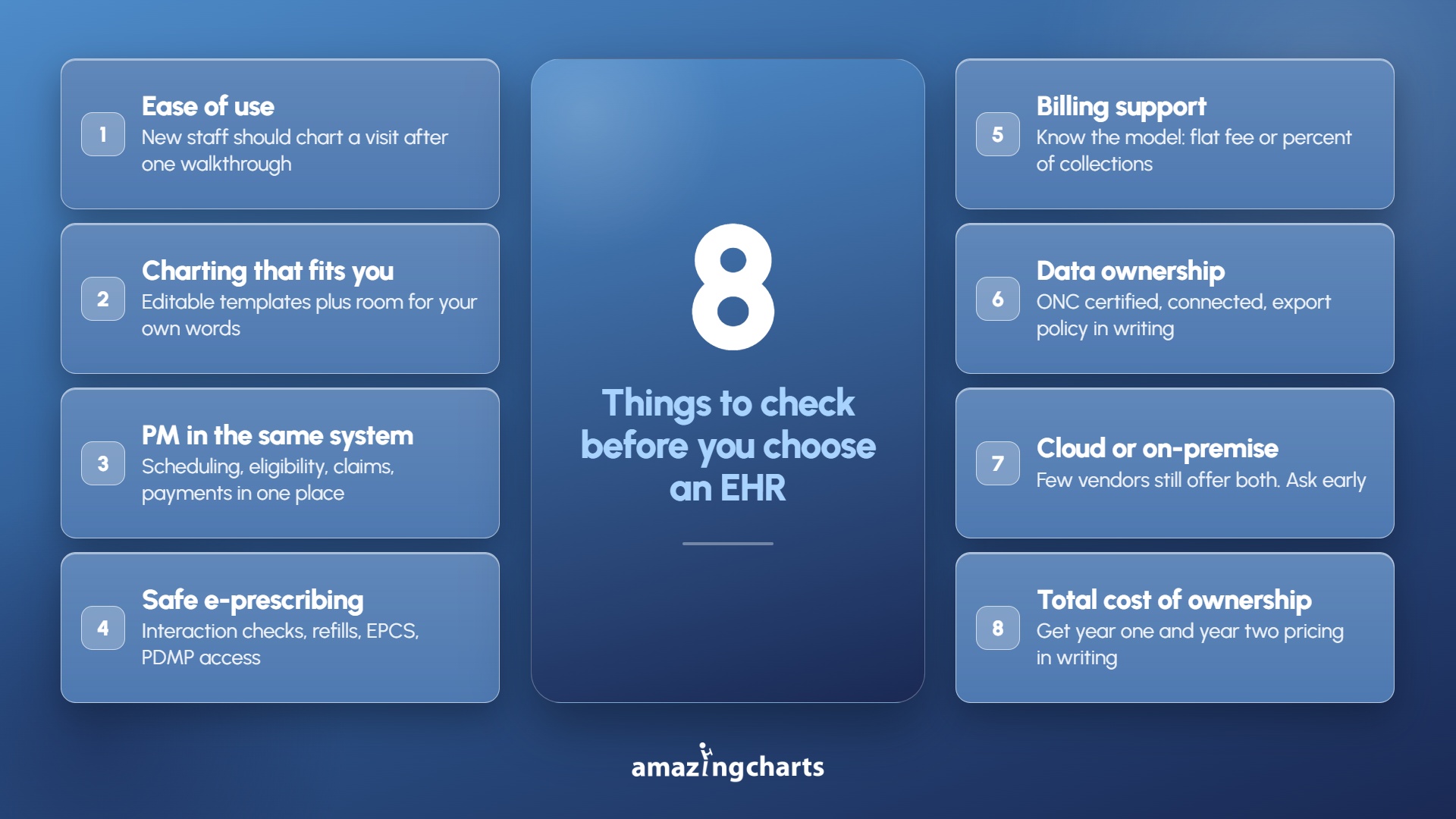
1. Ease of use above everything else
If a new medical assistant cannot chart a routine visit after a short walkthrough, the system will cost you time every single day. Ask to see a full visit documented start to finish during the demo, not a highlight reel.
2. Charting that matches how you work
Look for specialty templates you can edit, quick-access patient summaries, and the ability to pull forward past encounters. Free-text-only systems slow charting down. Rigid template-only systems frustrate clinicians who want to write in their own words.
3. Practice management in the same system
Scheduling, eligibility checks, claims, and payment posting should live where care is documented. Splitting clinical and financial work across two vendors means double entry and finger-pointing when something breaks.
4. E-prescribing with safety checks
Drug-to-drug and drug-to-allergy interaction checking, refill management, and EPCS for controlled substances. If you prescribe controlled substances, confirm whether EPCS and PDMP access are included or priced separately.
5. Billing and revenue cycle support
Some practices want software only. Others want a billing service. Ask about clean claim rates, denial follow-up, and whether the vendor charges a flat fee or a percentage of collections. Percentage models often run in the mid single digits and rise as your revenue rises.
6. Interoperability and data ownership
Confirm the system is ONC certified, connects to your labs and local pharmacies, and lets you export your own records if you ever leave. Get the export policy in writing.
7. Deployment choice: cloud or on-premise
Cloud is the default and removes server maintenance. On-premise still matters for practices with unreliable internet or a firm preference for keeping data in the building. Very few vendors still offer both.
8. Total cost of ownership
The per-provider fee is rarely the whole number. Ask what implementation, training, interfaces, and EPCS cost, and how much prices rise at renewal. Get year one and year two quoted side by side in writing.
Best EHR Software for Small Practices
There are many EHR options for small and medium practices, each with different strengths. Some are cloud-only, some offer AI documentation tools, and a few still support on-premise installation. The five below are the systems most often shortlisted by independent practices in 2026.
1. Amazing Charts
Amazing Charts, part of Harris Computer, is a comprehensive EHR and practice management solution designed by a practicing family physician for small and independent medical practices across a wide range of specialties.
The platform offers simple clinical workflows, including:
-
One-click patient charting with instant access to labs, referrals, and past encounters
-
Editable specialty templates
-
Integrated scheduling and office flow
-
Certified e-prescribing, including controlled substances
-
Practice management and revenue cycle management
-
Telehealth and Backup services
Amazing Charts is one of the few EHRs that still offers both cloud-hosted and locally installed deployment, which suits practices with limited internet reliability or a preference for on-premise control. Support, updates, and database maintenance are handled by the vendor, and a full medical billing service is available for practices that would rather outsource claims.
Pricing starts at $229 per month, with a 7-day free trial.
2. Practice Fusion
Practice Fusion is a cloud-based EHR designed for small and solo providers.
Core functions include:
-
Charting and customizable templates
-
Appointment scheduling
-
Lab and imaging integration
-
E-prescribing with interaction checks
-
Patient portal and telehealth
Billing services are available separately through the vendor.
Pricing starts at $199 per provider per month with an annual commitment.
3. AdvancedMD
AdvancedMD is a cloud-based EHR, practice management, and billing platform for independent outpatient practices up to mid-sized groups.
Core functions include:
-
Clinical documentation with templates for 20+ specialties
-
Scheduling and automated insurance entry
-
Billing and revenue cycle management
-
Patient engagement and telehealth
-
AI-generated notes and reporting
Practices buy individual modules rather than a fixed bundle, so total cost varies by configuration.
Pricing starts at $130 per month for small practices, with EHR plus practice management commonly quoted around $729 per provider per month. RCM services run 4% to 8% of monthly collections.
4. Tebra (formerly Kareo and PatientPop)
Tebra is a certified cloud-based EHR and practice management platform for independent practices, formed from the 2021 merger of Kareo and PatientPop.
Core functions include:
-
Clinical notes and customizable templates
-
E-prescribing and eLabs
-
Telehealth
-
Integrated billing with claim scrubbing
-
Patient engagement and online reputation tools
Tebra is sold as single solutions or as one of two bundles, with reduced pricing for low-volume practices.
Pricing ranges from $49 to $799 per provider per month depending on modules, provider type, and claim volume.
5. CureMD
CureMD is a cloud-based EHR, practice management, and revenue cycle management platform for small and midsize practices.
Core functions include:
-
Several hundred specialty-specific documentation templates
-
Practice management and scheduling
-
Patient portal and mobile apps
-
AI medical scribe and AI contact center
-
Chronic care management
CureMD is ONC certified and connects with pharmacies, labs, payers, and referring providers.
Pricing starts at $195 per provider per month, with third-party guides citing $195 to $395 depending on modules and 4% to 5% of collections for billing services.
Quick Comparison Table
|
EHR |
Best for |
Deployment |
Built-in practice management |
Public starting price |
|
Amazing Charts |
Solo and small independent practices |
Cloud or on-premise |
Yes, plus full billing service |
$229 per provider per month, 7-day free trial |
|
Practice Fusion |
Cloud-only practices with core needs |
Cloud only |
Limited, billing often an add-on |
$199 per provider per month |
|
AdvancedMD |
Growing 3 to 15 provider groups |
Cloud only |
Yes, modular |
From $130 per month by specialty |
|
Tebra |
Practices that also want marketing |
Cloud only |
Yes, modular |
$49 to $799 per provider per month |
|
CureMD |
Specialty-heavy small to midsize practices |
Cloud only |
Yes |
$195 per provider per month |
Pricing shown is publicly listed as of mid-2026 and changes often. Always request a written quote that includes setup, training, add-ons, and year-two pricing.
Benefits of the Right EHR for a Small Practice
Shorter days. Faster charting is the single largest time saver. Cutting a few minutes per encounter adds up across a full schedule.
Fewer denials. Current coding, eligibility checks at the front desk, and claim scrubbing catch problems before they become appeals.
Lower overhead. Cloud deployment removes servers and the person who maintains them. One vendor for clinical and billing removes duplicate data entry.
Better patient experience. Online booking, portal messaging, and telehealth reduce phone hold times and no-shows.
Less burnout. Documentation burden and inbox overload are recurring themes in physician satisfaction research. Usability is not a nice-to-have. It is retention.
How to Choose the Right EHR
Step 1: Write down the problems first
Not features. Problems. "Charting takes me until 9 p.m." and "we are writing off too many claims" lead to very different shortlists.
Step 2: Set a real budget
Include setup, data migration, training, support, and add-ons. Not just the monthly license fee. Ask for year-two pricing in writing.
Step 3: Shortlist two or three systems
More than three and comparison becomes noise. Match on practice size, specialty, and deployment preference.
Step 4: Run a hands-on demo or trial
Have the people who will actually use it document a real visit type. Watch how many clicks it takes. Note where they hesitate.
Step 5: Check the exit before you enter
Confirm ONC certification, lab and pharmacy connections, and your right to export your own records. A system you cannot leave is a system you will resent.
Final Thoughts
The best EHR for a small practice is rarely the one with the longest feature list. It is the one your staff can use on a busy Monday without calling support.
Test it with your own people. Get the full cost in writing. Confirm you can take your data with you. Those three steps eliminate most bad decisions.
Amazing Charts has been built for independent and small practices from the beginning, by a physician who was seeing patients while writing it. If you want to see how fast charting can be when the software is designed for a practice your size, book a demo or start a free trial.