
The best practice management software for a small practice is the one that runs scheduling, eligibility checks, claims, and payment posting in a single system that shares data with the chart. For solo and independent practices, Amazing Charts bundles EHR and practice management under one vendor. RXNT suits practices that want to buy modules separately. AdvancedMD and CureMD fit growing multi-provider groups with heavier billing needs. Tebra works for practices that also want patient marketing in the same contract.
In a small practice, the person checking insurance is often the person answering the phone, and sometimes the person rooming patients. When a claim gets denied, nobody is assigned to chase it. It just sits in a worklist until someone notices the aging report.
That is the real problem practice management software solves. Not reporting dashboards. Getting claims out clean the first time and getting paid without a second full-time biller.
Most buying advice for this category is written for groups with a billing department. A 25-provider organization can absorb a complicated system and hire someone to run it. A two-provider clinic cannot. This guide covers what practice management software actually does, what to check before you buy, five systems worth shortlisting in 2026, and how to test them.
What Is Practice Management Software?
Practice management (PM) software runs the business side of a medical practice. The EHR holds the chart. The PM system holds the money and the calendar.
A typical PM system covers:
-
Patient registration and demographics
-
Appointment scheduling and reminders
-
Insurance eligibility verification
-
Charge entry and coding
-
Claim submission through a clearinghouse
-
Payment posting, ERA and EOB handling
-
Patient statements and collections
-
Financial reporting
For a small practice, two things separate a good PM system from a bad one. First, whether it shares data with your EHR so the front desk is not typing the same demographics twice. Second, whether the claims workflow tells you what is stuck and why, without you building a custom report to find out.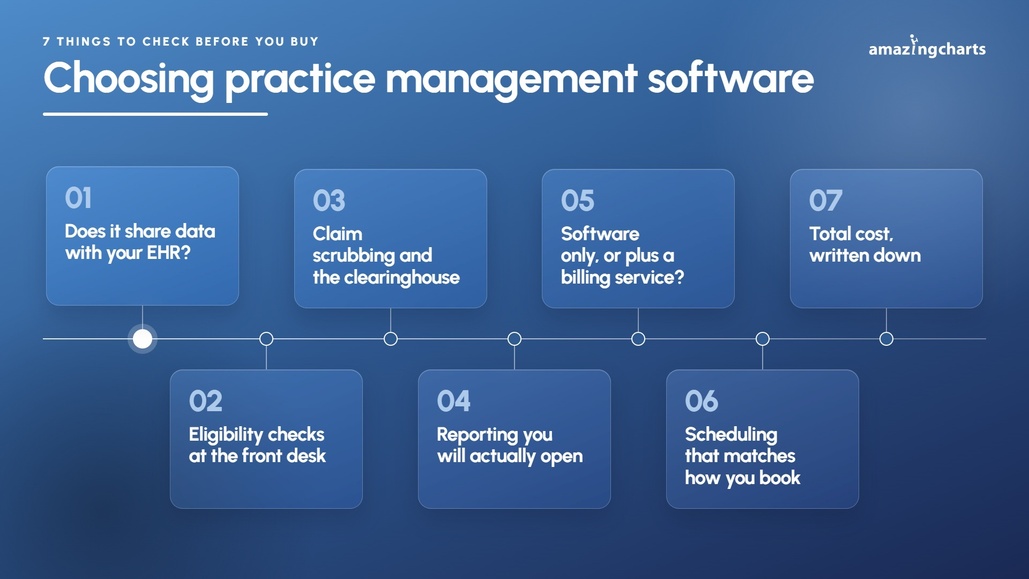
What to Check Before You Buy
1. Does it share data with your EHR?
This is the whole ballgame. If scheduling and billing sit in a separate system from your notes, someone re-enters demographics, insurance, and charges by hand. That is where errors come from, and it is also where the finger-pointing starts when a claim goes out wrong. Ask specifically how patient data moves between the two, and whether charges flow from the encounter or get typed in again.
2. Eligibility checks at the front desk
Verifying coverage before the visit prevents more denials than any scrubbing rule does after the fact. Check whether eligibility runs in real time, whether it is batched overnight for tomorrow's schedule, and whether it costs extra per check.
3. Claim scrubbing and the clearinghouse
Find out whether the clearinghouse is included or a separate contract, and who you call when a payer changes a rule and claims start rejecting. Ask what happens to a rejected claim: does it land in a worklist somebody sees, or does it disappear into a status code?
4. Reporting you will actually open
Aging by payer, denials by reason, collections by provider. That is most of what a small practice needs. Fancy analytics modules look good in a demo and get used twice. Ask to see the standard reports, not the dashboard.
5. Software only, or software plus a billing service?
Some practices want the tool. Others want to hand billing to the vendor. Both are valid, but they are priced completely differently. Billing services are usually charged as a percentage of collections, so your bill grows as your revenue grows. Flat per-provider software does not.
6. Scheduling that matches how you book
Multiple providers, multiple locations, double booking, recurring visits, wait lists. If your front desk does something unusual today, ask to see it done in the demo before you sign.
7. Total cost, written down
The monthly per-provider fee is rarely the full number. Implementation, data migration, training, clearinghouse fees, statement fees, and credit card processing all add up. Ask for year one and year two side by side in writing.
Best Practice Management Software for Small Practices
1. Amazing Charts
Amazing Charts, part of Harris Computer, sells practice management as a bundle with its EHR, which is how most small independent practices end up buying it. It was built by a practicing family physician, and the PM side follows the same idea: fewer screens, less repeat data entry.
What is included:
-
Scheduling and patient registration
-
Eligibility verification before appointments
-
Secure Connect integrated clearinghouse
-
Claims Manager and claim status checks
-
Payment posting and credit card processing
-
Unpaid claims and revenue cycle reporting
-
Optional full medical billing service
Data is shared with Amazing Charts EHR, so demographics and charges do not get keyed twice. Most small practices are live in a few weeks. Practices that would rather not bill in house can move to the RCM service instead of hiring.
2. RXNT
RXNT sells practice management, EHR, e-prescribing, and billing as separate modules or as a full suite. Useful if you only need the billing and scheduling side and want to leave the rest alone for now.
What is included:
-
Scheduling and registration
-
Claims and billing with clearinghouse access
-
Patient portal and statements
-
Reporting
-
Setup, training, and support at no extra charge
3. AdvancedMD
AdvancedMD is a cloud practice management, EHR, and billing platform aimed at independent practices through mid-sized groups. It is the deepest system on this list, which is both the reason to buy it and the reason small practices sometimes regret it.
What is included:
-
Scheduling with automated insurance entry
-
Claims management and denial workflows
-
Patient engagement and telehealth
-
Reporting and business intelligence
-
Optional full RCM service
Practices buy modules rather than a fixed bundle, so what you end up with varies a lot by configuration.
4. Tebra (formerly Kareo and PatientPop)
Tebra came out of the 2021 Kareo and PatientPop merger, so it pairs billing with patient acquisition tools. If you are also trying to fix your online presence, that combination saves a vendor.
What is included:
-
Scheduling and patient intake
-
Integrated billing with claim scrubbing
-
Patient portal and telehealth
-
Online reputation and marketing tools
-
Reporting
Tebra quotes by provider type, claim volume, and modules, so two practices of the same size can end up with very different setups.
5. CureMD
CureMD is a cloud EHR, practice management, and RCM platform for small and midsize practices, with strong specialty template coverage.
What is included:
-
Scheduling and registration
-
Claims, denial management, and A/R follow-up
-
Patient portal and mobile apps
-
Chronic care management
-
AI scribe and AI contact center
Quick Comparison Table
|
System |
Best for |
Billing service available |
EHR in the same platform |
How it is sold |
|
Amazing Charts |
Solo and small independent practices wanting one vendor |
Yes, full RCM |
Yes, bundled |
EHR and PM bundled, flat monthly fee |
|
RXNT |
Practices that want to buy only the modules they need |
Yes |
Yes, separate module |
A la carte modules or full suite |
|
AdvancedMD |
Growing 3 to 15 provider groups |
Yes, percentage of collections |
Yes, modular |
Modular, quoted by configuration |
|
Tebra |
Practices that also want marketing and reputation tools |
Yes |
Yes, modular |
Single modules or bundles, custom quote |
|
CureMD |
Specialty-heavy small to midsize practices |
Yes, percentage of collections |
Yes |
Per provider, modules added on |
Always get a written quote covering setup, training, clearinghouse fees, and year-two pricing before you sign.
What Better Practice Management Actually Changes
Cleaner claims going out. Eligibility at check-in and scrubbing before submission catch the errors that turn into a 30-day delay.
Shorter A/R. When unpaid claims show up in a worklist instead of a report nobody runs, they get worked.
Less duplicate typing. One system for the schedule, the chart, and the claim means the front desk enters a patient once.
Fewer no-shows. Automated reminders and online booking do more for a small schedule than most people expect.
A billing plan that survives turnover. If your biller leaves, a system with an available billing service gives you somewhere to go that is not a staffing crisis.
How to Choose
Step 1: Write down what is broken
"We are writing off too much" and "the front desk is drowning" point to different systems. Start with the problem, not the feature list.
Step 2: Pull your own numbers first
Days in A/R, denial rate, and no-show rate. You cannot tell whether a new system helped if you never wrote down where you started.
Step 3: Shortlist two or three
More than three and the comparison turns into noise. Match on practice size, specialty, and whether you want to bill in house.
Step 4: Demo the ugly workflows
Not the clean new patient visit. A secondary claim, a patient with two insurances, a denial that has to be corrected and resubmitted. Have your biller drive.
Step 5: Confirm the exit
Get your right to export patient and financial data in writing, along with what a data extract costs. Systems are easy to join and expensive to leave.
Final Thoughts
Most small practices do not lose money because they picked the wrong reporting tool. They lose it because insurance was never verified, the claim went out with the wrong ID, and nobody worked the rejection for six weeks.
Pick the system that makes those three things harder to get wrong. Test it with your own billing scenarios, get the full cost in writing, and confirm you can take your data with you.
Amazing Charts has been built for independent and small practices from the start, with practice management, EHR, and an optional billing service under one vendor. If you want to see how it handles your schedule and your claims, connect with our team or start a free trial.