
What is revenue cycle management?
Revenue cycle management (RCM) is the process a medical practice uses to get paid for patient care. It starts when a patient books an appointment and ends when the last dollar for that visit is collected and recorded.
Most practices think of RCM as "billing." Billing is only one part of it. A claim can be denied because of a wrong insurance ID typed in at the front desk three weeks earlier, long before anyone in billing touches it.
That's why it helps to see the whole cycle. Below are the 12 steps, grouped into three stages: before the visit, during and right after the visit, and after the claim goes out.
Quick answer: the 12 steps of revenue cycle management
-
Patient pre-registration
-
Appointment scheduling
-
Insurance eligibility and benefits verification
-
Check-in and point-of-service collections
-
Clinical documentation
-
Charge capture
-
Medical coding
-
Claim scrubbing and submission
-
Payment posting
-
Denial management and appeals
-
Patient statements and follow-up
-
Reporting and audits

The 12 steps of revenue cycle management
Stage 1: Before the visit (front end)
Most billing problems start here. A clean front end means fewer claims bounce back later.
1. Patient pre-registration
Pre-registration is collecting a patient's demographic and insurance details before the visit. That includes full legal name, date of birth, address, insurance carrier, member ID, and group number.
Ask new patients to send a photo of the front and back of their insurance card. Typing an ID from a card image is far less error-prone than taking it over the phone.
2. Appointment scheduling
Scheduling is booking the right visit type, with the right provider, for the right length of time. Visit type matters for billing. A new patient visit and an established patient visit are coded differently, so booking the wrong one can lead to a coding mismatch later.
Send appointment reminders by text or email. Fewer no-shows means fewer empty slots you can't bill for.
3. Insurance eligibility and benefits verification
Eligibility verification is confirming that the patient's coverage is active and that the planned service is covered. Check it a day or two before the visit, and again at check-in for patients whose coverage changes often, such as Medicaid patients.
While verifying, note the copay, deductible status, and whether the service needs prior authorization. Missing a prior authorization is one of the most common reasons a claim gets denied, and it's hard to fix after the fact.
4. Check-in and point-of-service collections
Point-of-service collection is taking the patient's copay or known balance at check-in or check-out. Once a patient leaves, collecting the same amount usually takes a statement, a reminder call, and weeks of waiting.
Tell patients what they owe before the visit when you can. The No Surprises Act adds one specific rule here. If a patient is uninsured, or has insurance but chooses not to bill it, you must give them a written good faith estimate when they schedule a service at least three business days ahead or when they ask for one. It doesn't apply to patients billing their insurance.
Stage 2: During and right after the visit (mid cycle)
This is where care turns into a billable claim.
5. Clinical documentation
Clinical documentation is the provider's record of what happened in the visit: history, exam, assessment, and plan. Every code on a claim has to be supported by the note. If an auditor or payer asks for records and the note doesn't back up the code, the payment can be taken back.
Close notes the same day. Notes left open for days slow down every step after this one.
6. Charge capture
Charge capture is recording every billable service from the visit. Labs drawn in the office, injections, vaccines, and procedures are easy to miss when the front desk and the provider aren't using the same system.
A simple end-of-day check helps: compare the day's schedule against charges entered. Any visit without a charge is lost revenue until someone catches it.
7. Medical coding
Medical coding is turning the visit into standard codes. Diagnoses use ICD-10-CM codes, services use CPT codes, and supplies and some services use HCPCS codes. Modifiers tell the payer about special circumstances, such as a separate procedure on the same day as an office visit.
Code to the highest level of specificity the note supports. Vague diagnosis codes are a common denial trigger.
8. Claim scrubbing and submission
Claim scrubbing is checking a claim for errors before it goes to the payer. A claim scrubber catches problems like a missing modifier, a diagnosis that doesn't support the procedure, or an invalid member ID. The claim then goes to the payer, usually through a clearinghouse.
A clean claim is one with all the required information filled in correctly, so the payer can process it without asking for corrections or more details. Clean doesn't mean paid. A clean claim can still be denied for a coverage or medical necessity reason. Every claim that has to be reworked costs staff time.
Submit claims within a few days of the visit. Every payer has a timely filing limit, and claims sent after it are usually denied. Some payers allow exceptions, for example when the delay was the payer's fault or coverage was applied retroactively, but you'll need proof and approval isn't guaranteed. Medicare's limit is 12 months from the date of service, and many commercial payers allow much less.
Stage 3: After the claim goes out (back end)
This is where the money comes in, or doesn't.
9. Payment posting
Payment posting is recording payments from payers and patients against the right claim. Payer payments usually arrive as an electronic remittance advice (ERA), which shows what was paid, adjusted, or denied for each line.
Don't just post the payment and move on. Compare it to your contracted rate. Underpayments are easy to miss when posting is done in a hurry.
10. Denial management and appeals
Denial management is working denied claims: finding out why each was denied, fixing what can be fixed, and resubmitting or appealing. A rejected claim never made it into the payer's system (usually a data error). A denied claim was processed and refused.
Track denials by reason code. If the same reason keeps showing up, the fix usually belongs earlier in the cycle, at registration, verification, or coding.
11. Patient statements and follow-up
Patient statements show what a patient owes after insurance has paid its share. Send them soon after the claim is settled, while the visit is still fresh in the patient's mind.
Make paying easy. Online payment links, text-to-pay, and payment plans for larger balances all help. Write statements in plain language so patients understand what they're being charged for.
12. Reporting and audits
Reporting is measuring how well the revenue cycle is working. Audits check whether coding and documentation hold up. Review core numbers every month, and audit a sample of charts at least once a year.
Reports tell you where money is getting stuck. Without them, you only notice a problem after cash flow drops.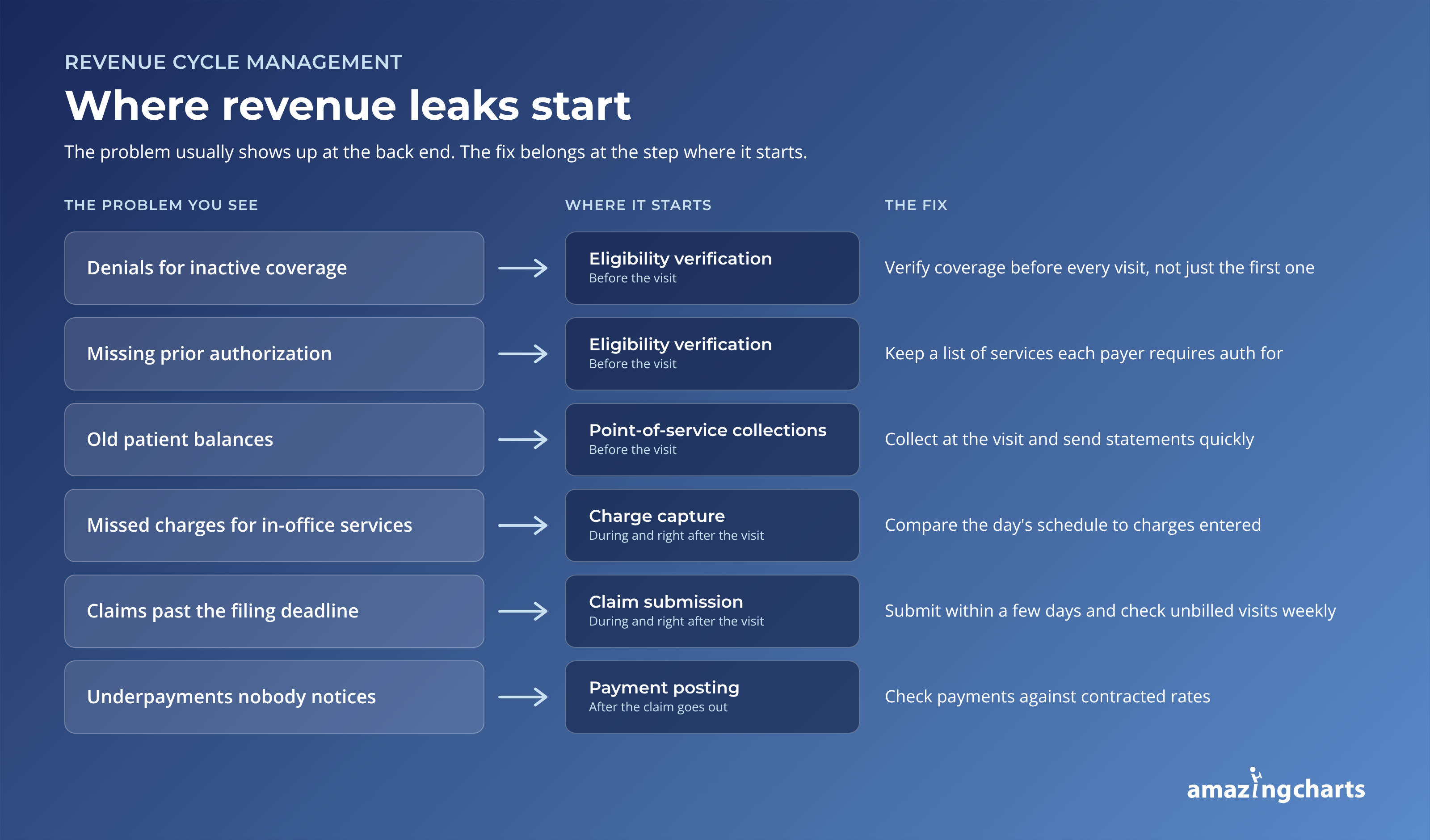
Where small practices lose money in the revenue cycle
Most lost revenue in a small practice comes from a short list of repeat problems. The fix is usually at the step where the problem starts, not where it shows up.
|
Problem |
Where it starts |
Simple fix |
|
Denials for inactive coverage |
Step 3, eligibility |
Verify before every visit, not just the first one |
|
Missing prior authorization |
Step 3, eligibility |
Keep a list of services each payer requires auth for |
|
Missed charges for in-office services |
Step 6, charge capture |
Compare the day's schedule to charges entered |
|
Claims past the filing deadline |
Step 8, submission |
Submit within a few days and watch unbilled visits weekly |
|
Underpayments nobody notices |
Step 9, payment posting |
Check payments against contracted rates |
|
Old patient balances |
Step 4 and step 11 |
Collect at the visit and send statements quickly |
If your team is small, start with eligibility. It sits at the front of the cycle, so fixing it prevents problems in every step after it.
RCM metrics to track every month
Six numbers tell you most of what you need to know about your revenue cycle. Track them monthly and watch the trend more than any single month.
|
Metric |
What it tells you |
How to calculate it |
|
Days in A/R |
How long it takes to get paid |
Total accounts receivable ÷ average daily charges |
|
Clean claim rate |
How many claims go through without needing corrections |
Claims accepted on first submission with no rejection or correction ÷ total claims submitted in the same period |
|
First-pass resolution rate |
How many claims are paid on the first submission |
Claims paid on first submission ÷ total claims processed in the same period |
|
Denial rate |
How often payers refuse claims |
Claims denied ÷ total claims submitted |
|
Net collection rate |
How much of what you're owed you actually collect |
Payments ÷ (charges minus contractual adjustments) |
|
A/R over 90 days |
How much money is at risk of never coming in |
A/R older than 90 days ÷ total A/R |
If six feels like too many, start smaller. Practice management consultants interviewed by the American Medical Association in 2025 suggest picking one or two KPIs, tracking them for a quarter, and adding more once those prove useful. Days in A/R is a good first pick. Their rule of thumb: 30 to 45 days means claims are moving and payment is timely, and more than 90 days is a red flag that something in the cycle needs attention.
Getting your revenue cycle under control
You don't need to fix all 12 steps at once. Pull last month's denials, sort them by reason, and find the step where the top reason starts. Fix that first.
It also helps when scheduling, charting, and billing live in one system. Every handoff between separate tools is a place where a charge gets missed or an insurance ID gets mistyped.
That's the problem Amazing Charts was built to solve for independent practices. Here's how it lines up with the trouble spots in this guide:
-
Missed charges and retyped data (steps 1, 6, and 7). The EHR and practice management system are integrated, so patient and visit details carry from the chart to the claim without being entered twice.
-
Claims that bounce back (step 8). Claims are submitted electronically through a clearinghouse that scrubs them for errors before they go out, with multiple transmissions a day.
-
The same denials month after month (steps 10 and 12). Denial tools show the reason behind each denied claim, and reports track denial rates and reasons over time, so you can see which step the problem starts in.
-
Not enough hands for follow-up (steps 10 and 11). Practices that would rather hand off billing can use Amazing Charts' billing and RCM services.
Talk to our team to see how it would fit your practice's workflow.