

Running a small practice means juggling scheduling, insurance, billing, and denied claims, often with one or two people doing all of it. A practice management system takes that repetitive admin work off your plate so the team can focus on patients.
Here is what a practice management system is, how it differs from your EHR, what it does, and how to choose one.
What is a practice management system?
A practice management system (PMS) is software that handles the day-to-day business operations of a medical practice, including appointment scheduling, patient registration, insurance eligibility verification, medical billing and claims, payment posting, and financial reporting. It runs the administrative and financial side of a practice, while an EHR manages clinical care.
Core jobs include:
-
Appointment scheduling across providers and locations
-
Patient registration and demographics
-
Insurance eligibility verification before the visit
-
Billing and claims management, including submission and tracking
-
Payment posting and patient statements
-
Reporting on visits, claims, and revenue
Practice management system vs. EHR vs. RCM
These three get confused constantly. The short version:
|
System |
Focus |
What it does |
|
The patient |
Charts, notes, medications, lab results |
|
|
The practice |
Scheduling, registration, eligibility, billing, reporting |
|
|
Getting paid |
Coverage checks, claims, denials, collections |
The practice management system feeds the revenue cycle, so the two are closely linked. Many systems include RCM tools or connect to them. In a small practice, you usually want all three working together instead of as disconnected tools.
Why small practices need a practice management system
Admin work is eating into patient time, and independent data backs it up:
-
Time: American Medical Association (AMA) 2024 data shows physicians work nearly 58 hours a week, including about 7 hours on pure admin (prior auths, insurance forms, meetings) and 13 hours on indirect care like documentation.
-
Billing: In Experian Health's State of Claims 2025 report, 41 percent of providers said more than 10 percent of their claims were denied.
When one or two people cover scheduling, billing, and admin, that load turns into delayed claims, missed charges, and burnout. A practice management system automates the repetitive parts so nothing slips.
What a practice management system actually does?
Instead of a generic feature list, here is how a practice management system helps across a typical workday.
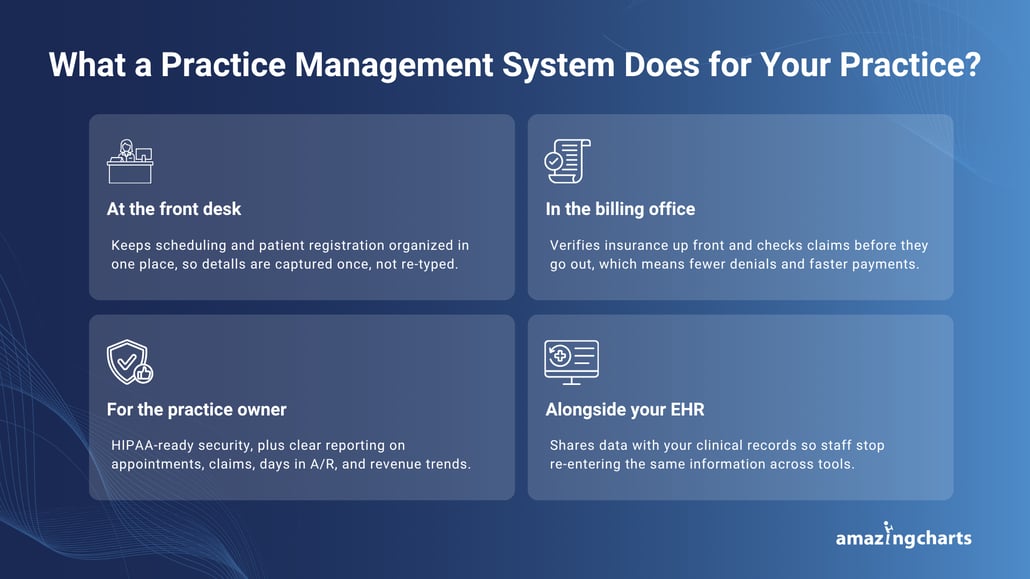
At the front desk
It brings appointment scheduling and patient registration into one place, so the calendar stays organized across providers and locations. Capturing patient and insurance details at registration means the front desk is not re-keying the same information later.
In the billing office
It verifies insurance up front and checks claims against payer rules before they go out. Cleaner claims mean fewer denials, less rework, and faster cash.
For you as the practice owner
It supports HIPAA with access controls, audit trails, and encryption, and shows you the numbers that matter (appointment volume, claim status, days in A/R, revenue trends) so you can act before small problems grow.
Alongside your EHR
When scheduling, billing, and charting share the same data, your team stops re-entering information. For small practices, that connection is often where the biggest time savings show up.
How to choose the right practice management system
Enterprise platforms built for large health systems can overwhelm a small team. Weigh these factors instead.
Ease of use
Staff should be able to learn it in days, not months. A clean interface reduces training time and mistakes.
Integration with your EHR and billing
The system should connect to your clinical records and billing so data flows instead of being re-entered.
Security and HIPAA compliance
Confirm the system supports HIPAA with access controls, audit trails, and encryption.
Support, scalability, and cost
Ask what onboarding and data migration look like, make sure the system can grow with you, and confirm what is included versus what costs extra. Reviews and peers at practices your size will tell you what a demo will not.
How much does a practice management system cost?
Pricing models vary. Some vendors use complex per-provider fees or share a price only after a sales call, while others offer simple, predictable monthly pricing that is easier for a small practice to budget around.
For a small or independent practice, an integrated EHR and practice management plan is often the most cost-effective choice, since it avoids paying for and maintaining two separate systems. Amazing Charts, for instance, publishes transparent monthly pricing with an integrated EHR and practice management option, so you can see the cost up front without a drawn-out sales process. Current plans are listed on the Amazing Charts pricing page.
Getting started
You do not have to switch everything at once. Many practices start with core workflows like scheduling and eligibility checks, then expand into billing and reporting. Lean on your vendor's onboarding and data-migration help, train staff on the tasks they use most first, and give yourself a little runway.
The right system makes a big difference
The right practice management system cuts paperwork, streamlines scheduling and billing, protects patient data, and shows you how the practice is doing, so you spend less time on admin and more time on care.
If you want a system built for small, independent practices, Amazing Charts offers a straightforward practice management system designed for independent providers. It was originally built by a practicing physician, which is why it stays focused on what small practices actually need.